
Your First Result: From Website to File
Akmelo collects data from websites, stores records, and delivers them to your applications. Collection and export are separate operations: first collect records, then decide how to deliver them. Preparing a file does not request the website again.
Checklist for your first collection
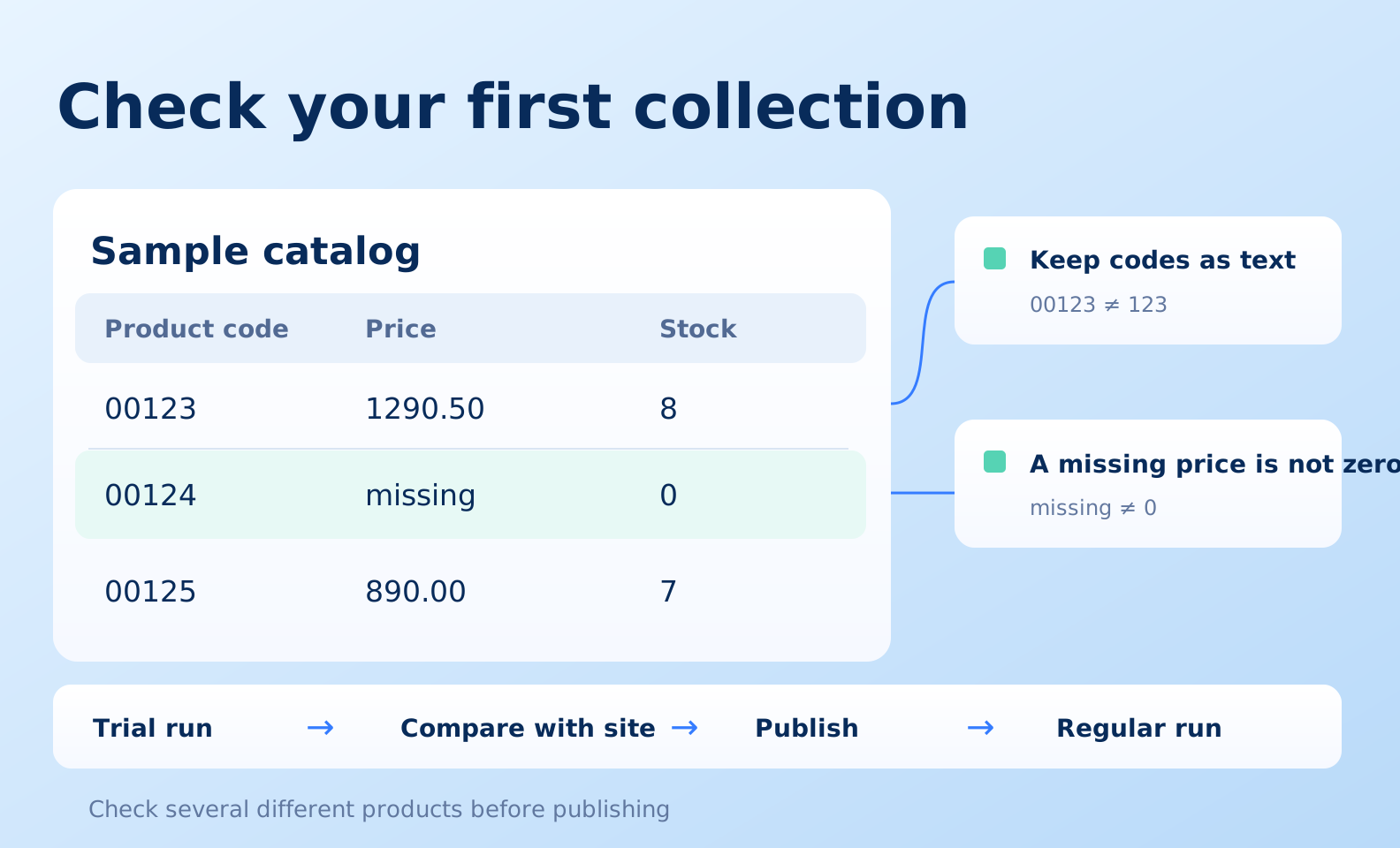
Open the checklist to view it at a larger size and save it.
In the example, product 00123 costs 1290.50 and has stock of 8; product 00124 has no price and has stock of 0; product 00125 costs 890.00 and has stock of 7. Store product codes as text: leading zeroes may be part of the identifier. Do not replace a missing price with zero. Before publishing, compare several different products with the source website, including variants and delivery conditions.
What to create
- In Sites, create a source with a recognizable name and its main address.
- Define the result fields, such as product code, name, price, stock, and link.
- Create a collection scenario yourself or with the AI assistant. Explain which pages to visit, which attributes to collect, and how to identify a product.
- Run a trial, check the values, and publish a working scenario version.
- Start a regular run. Its page shows status, logs, processed pages, and results. A run being queued does not mean execution has started.
- Open Records and inspect several products from different categories.
- In Exports, select a file or integration, configure fields, and open a preview.
- Prepare a file or connect a recipient through an endpoint. Add a schedule after the result checks out.
Start with a small sample
Choose a few products with different variants: no price, several stock values, with and without discounts. If the website uses pagination, check more than the first page. A stable product code or identifier helps update existing records instead of creating duplicates.
Where to look when something goes wrong
| Situation | What to check |
|---|---|
| Run is queued | Worker availability, concurrency limit, other runs |
| Too few products collected | Categories, pagination, filter conditions, logs |
| Empty file | Whether records exist, selected fields, export filters |
| Operation denied | Workspace permissions and access to the specific site |
| Limit reached | Settings → Limits; cloud, AI, and quantity limits are separate |
Next: sites, scenarios, runs, and your first export.