
Scenarios, Versions, and Publishing
A scenario describes which pages to open and which data to return. It belongs to one site where results are stored, but it can read several websites and an incoming email in the same run. See one scenario, multiple sources. The editor highlights PHP and suggests methods available in the runtime. This is a restricted environment: arbitrary system commands are unavailable.
Creating a scenario
Open Collection scenarios and click Create scenario. Select a site, enter a name, and optionally add a description. Choose Create manually to configure it yourself, or fill in the fields of a ready-made template. Templates marked as unavailable cannot be used yet. After you select a starting point, the catalog narrows to two columns to make room for settings. Input fields appear under Collection settings, before the optional description. The create button is to the right of the heading. Saving opens the scenario page.
For a Wildberries template, add product codes or links and select delivery regions. The selector lets you search for a city or region, choose several cities, and enter a custom delivery address code. Where can I find the delivery code? opens step-by-step instructions. Prices for each region are stored separately. The delivery location affects the price: a city preset uses a location selected for that city. Enter your own delivery code for a specific address. Add the products you need.
A safe way to make changes
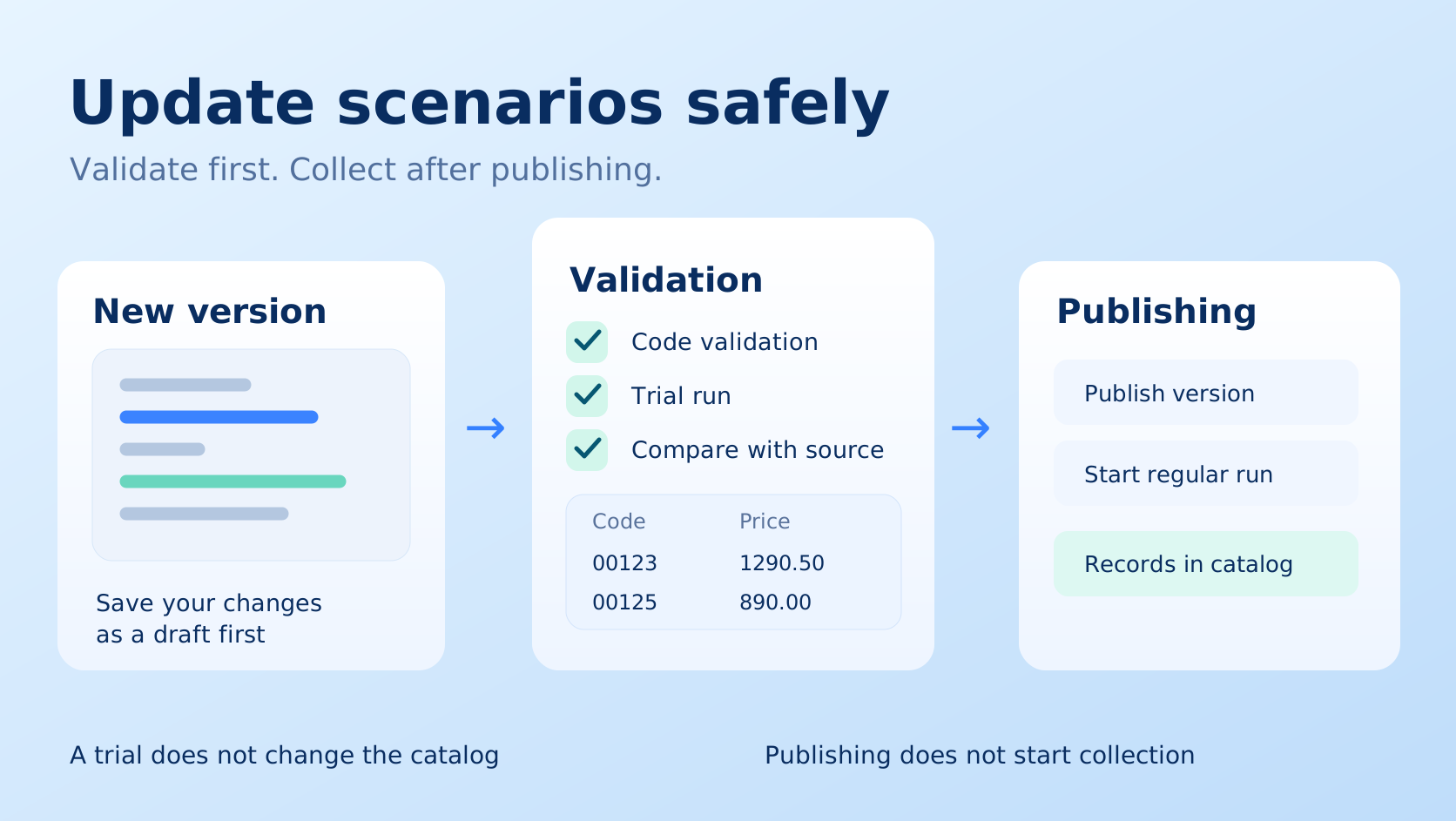
Open the checklist at a larger size and save it before changing a working scenario.
Code validation detects errors but does not fix them automatically. A trial gives you a preview and does not change the working catalog. After comparing results, publish the version and start a regular collection separately: publishing does not create a run.
- Open the scenario and save a new version with a clear comment.
- Validate the code. Fix validation errors before a regular run.
- Run a trial on a small sample.
- Compare products with the source site: number of records, values, types, and missing fields.
- Publish the version you checked. Publishing determines the working version for future runs unless a different version is explicitly requested.
Saving a draft does not replace the published code. If a new version works incorrectly, return to a previously checked publication. The history helps identify which change caused the difference.
What your algorithm needs to handle
Consider catalog pagination, category navigation, product variants, repeated links, a stable record identifier, and missing fields. Do not stop after the first products on a page. Limit concurrency and respect the site's request rate.
Add useful log messages: the start of a category, pages found, products processed, cards skipped, and reasons. Custom stages and a completion percentage help when the algorithm knows the total amount of work. Do not show 100% while processing or saving results is still in progress.
AI and the editor
AI can help write or repair a scenario. After changes, still inspect the result and validate it. Describe the request in terms of observable results, such as “all products in every category, with product codes, prices, and stock.”
Writing your own algorithm
PHP, JavaScript and TypeScript are available. Start with the TypeScript guide. Start with the JavaScript example if you choose JavaScript. Go and other languages are planned for future releases.
Runtime code and methods are covered in the separate SDK section. Start with the first algorithm. The reference covers website requests, finding HTML elements, and saving records and reporting progress. Complete examples of pagination and browser use are also in the SDK section.
Python scenarios
Select Python when creating a new scenario; existing versions keep their original language. The same validation, trial, publication, schedules, logs, records, and exports apply. See the Python SDK, lifecycle, and environment. Python is synchronous, uses snake_case methods, and requires Python capability on a self-hosted agent.