
Limits, Balance, and Costs
A workspace has a subscription, included resources, and a cash balance. These are separate limits. Having money on the balance does not mean every operation is allowed.
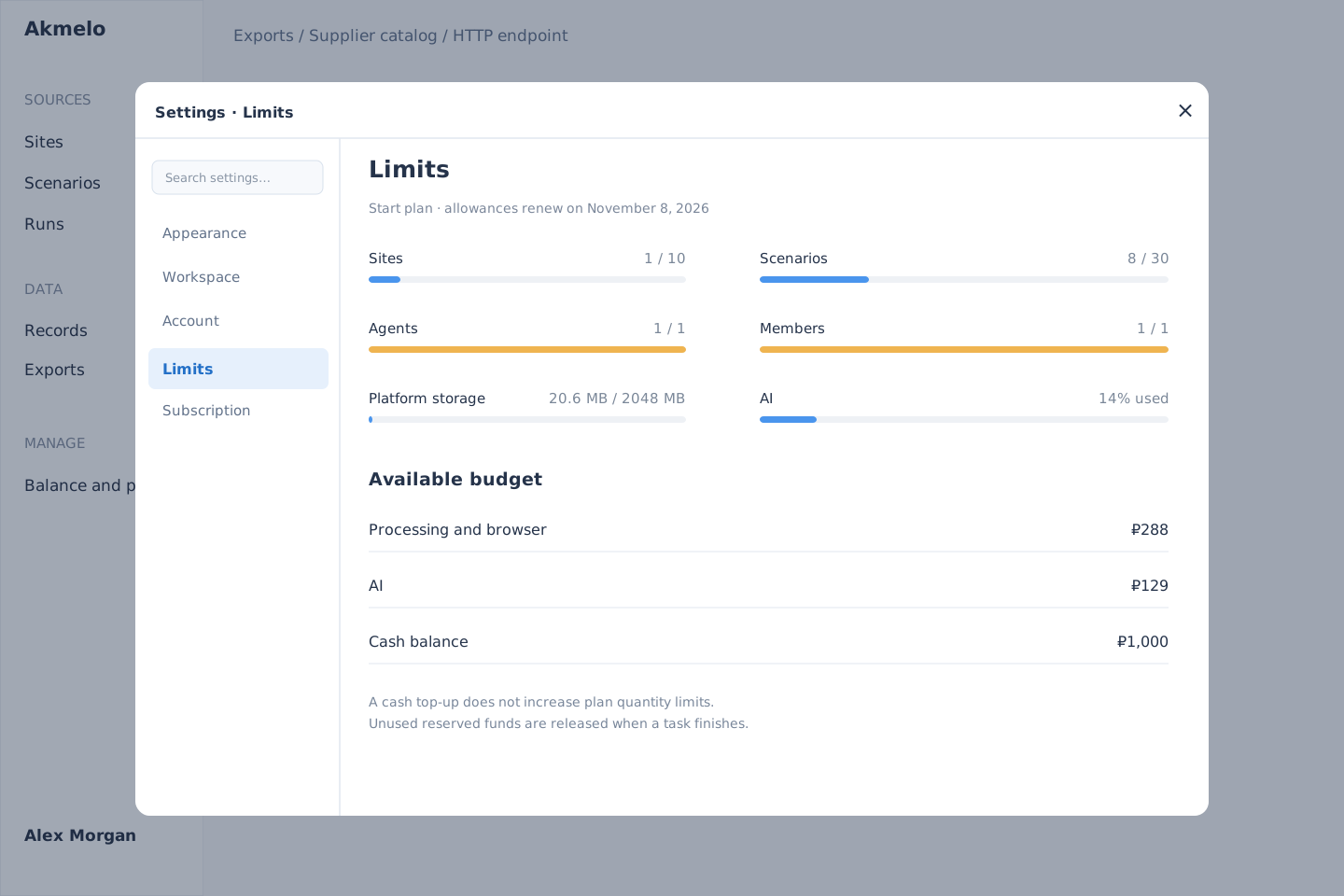
Example on the Start plan: 14% of AI allowance used; the cash balance is counted separately.
Types of limits
| Type | What it limits | Where to check |
|---|---|---|
| Quantity | Sites, scenarios, agents, members, concurrent tasks | Settings → Limits |
| Cloud budget | Collection, processing, browser actions, preparing results | Limits and spending log |
| AI budget | Assistant model use | Separate AI indicator |
| Storage | Files and platform artifacts, retention periods | Plan and limits |
| API rate | Requests during a time interval | 429 response and Retry-After |
The site limit counts entries created in Sites, not the domains requested by a scenario. Even with one site entry, a scenario may read several public websites. Its records are stored under the selected entry. Combining sources.
AI usage is shown to users as a percentage. Internal calculations may count input and output tokens, but each message does not cost the same amount: long context, images, and complex tasks use more.
Why an operation can be denied with money on the balance
- Both the included budget and the general balance are exhausted, or spending from the balance is disabled.
- The monthly cap for additional spending has been reached.
- Money has been reserved for running tasks and is temporarily unavailable.
- The number of sites, scenarios, or concurrent tasks has reached its limit. Adding cash does not increase those quantities.
- The restriction concerns AI, while the available amount is in the cloud budget.
Read the specific reason in the error. Then open Settings → Limits and Balance and plan. You may need to wait for tasks to finish, change plans, top up the balance, or check the spending settings for your chosen cap.
Reservations and charges
The system may reserve funds before execution. A reservation is not yet a final charge. When work ends, its actual cost is recorded and the unused remainder is released. Work already completed may count even if a task fails or is canceled.
The spending log shows when an operation occurred, why, its volume, the reservation, and the final charge. Payment history answers a different question: when and how much was added to the balance or paid for a subscription. Ruble amounts in the interface are rounded to kopecks. Internal accounting is more precise, so a very short operation may appear as ₽0 after rounding.
Billing periods and your own infrastructure
Included cloud and AI budgets are separate and renew with the subscription period. Unused included budget expires; the cash balance does not. An annual subscription grants budgets monthly, not as one annual amount.
If collection runs on your agent, it does not use the same platform resources as a cloud run. AI use, platform operations, and plan restrictions still apply. External databases and S3 are not billed as platform storage; the processing and transfer actually performed by the platform count instead.
See Subscription for current prices and available allowances. Rates may change. To examine an earlier operation, use its spending log entry.